Top Tools
Top Project management construction software
By 2026, construction project management software has become a connected set of tools that helps teams plan, build, and track projects in one place. These systems link schedules, models, costs, and site data so office staff and field crews see the same updated information and can respond faster to changes or issues.

Modern platforms now include tools for cost forecasting, risk detection, and progress tracking using sensors, drones, and site reports. Software can flag possible delays or budget problems early and support better design and planning decisions. Many systems also connect construction data with long-term building operations and maintenance.
TL;DR
Procore

Procore is a cloud-based software platform built for managing construction projects. It brings project information, people, and processes into one online system so teams can work from the same data. The software is designed to support planning, execution, and tracking throughout a construction project’s life cycle.
The platform is mainly used by construction professionals who need structured control over documents, schedules, and costs. By centralizing project data, Procore helps reduce confusion caused by emails, spreadsheets, and disconnected tools. It supports coordination between office staff and field teams working on active job sites.
Key Features
- Centralized document management – Stores all drawings, files, and revisions in one place so teams always access the latest version.
- Project scheduling tools – Uses timelines and milestones to track progress and identify delays early.
- Budget and cost tracking – Monitors expenses in real time to help control spending and compare planned versus actual costs.
- Quality and safety management – Records inspections and safety checks to support compliance and reduce risk.
- RFI and submittal management – Organizes questions, approvals, and responses to avoid miscommunication.
- Change order management – Tracks scope and cost changes so financial impacts are clearly documented.
- BIM integration – Connects 3D models with project data for better coordination and issue detection.
- Daily logs – Captures site activities, labor, and weather to maintain accurate project records.
- Mobile access – Allows field teams to view and update information directly from the job site.
- Reporting and dashboards – Summarizes project data to support monitoring and decision-making.
Important Information
- Website: https://www.procore.com/
- Headquarters: Carpinteria, California, United States
- Founded: 2002
- Pricing model: Subscription-based
- Target users: Medium to large construction companies
Personal Review:
Procore’s main strength is its ability to keep project information organized and accessible across teams and locations. This helps reduce errors caused by outdated or missing data. One limitation is its complexity, as new users may need time and training to use the system effectively, especially smaller teams with simpler projects.
Buildertrend
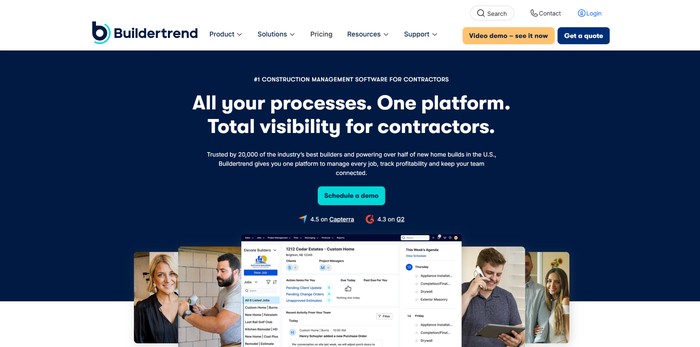
Buildertrend is a software tool that helps manage construction projects from start to finish. It brings together scheduling, budgeting, communication, and documentation in one place, allowing teams, clients, and subcontractors to access project information easily. The platform aims to reduce delays and mistakes that can happen when using separate systems.
The software also offers mobile access and real-time updates so on-site workers and project managers can see current progress. It supports financial management, change orders, and photo or video documentation, helping teams track project details accurately and communicate effectively with clients and contractors.
Key Features
- Project lifecycle management: Tracks projects from initial bid to completion, helping teams stay organized.
- Document storage with version control: Keeps all files in one place and ensures older versions are preserved.
- Real-time scheduling: Updates timelines automatically when changes occur, preventing conflicts.
- Financial management: Manages budgets, invoices, and payments to track project costs.
- Client portal: Allows homeowners to view project progress and communicate securely with the team.
- Change order system: Manages approvals for changes in scope or design to avoid misunderstandings.
- Photo and video documentation: Stores time-stamped images and videos for progress tracking.
- Mobile access: Lets on-site workers check schedules, documents, and updates from any device.
- Daily logs: Records daily work, issues, and weather conditions to keep a clear project history.
- Software integrations: Connects with accounting and estimating tools to streamline workflows.
Important Information
- Website: https://www.buildertrend.com/
- Headquarters: Omaha, Nebraska
- Founded: 2006
- Pricing: Subscription-based, varies by company size and features
- Best Use Case: Residential and commercial construction, especially for custom home builders and remodelers
Personal Review:
Buildertrend is strong at keeping all project information organized and accessible, making it easier to manage multiple teams and clients. One limitation is that smaller companies might find it complex at first, and the pricing may be high for very small projects. Overall, it is practical for mid-to-large construction businesses.
PlanGrid
PlanGrid is a construction project management software that helps teams manage blueprints, drawings, and documents online instead of on paper. It allows users to access project files from any device, making it easier to share information between office and field teams.
The platform also helps track changes in drawings, create punch lists, and manage requests for information. Its tools aim to reduce mistakes from outdated documents and improve communication for projects of all sizes, particularly in commercial and industrial construction.
Key Features
- Real-time blueprint and drawing access: Lets users view and update drawings immediately, ensuring everyone works with the latest version.
- Automatic version control: Detects and highlights changes between drawing revisions to prevent errors from outdated plans.
- Mobile-first design: Field teams can access, mark up, and share documents from smartphones or tablets.
- Punch list creation and management: Users can track tasks, assign responsibilities, and add photos for documentation.
- RFI and submittal tracking: Automates workflow for requests and submissions, sending alerts and reminders to team members.
- Document management system: Centralized storage with permission controls to organize and secure all project files.
- BIM model viewing and integration: Allows viewing of 3D building models and coordination with other design software.
- Automated progress tracking: Compares photos over time and records updates to monitor project status.
- Reporting and analytics dashboard: Offers visual summaries of project metrics and performance for better decision-making.
Important Information
- Website: https://www.plangrid.com/
- Headquarters: San Francisco, California, USA
- Founded: 2011
- Pricing: Plans start around $39/month per user; advanced or enterprise pricing available
- Best Use Case: Medium to large construction projects needing document management and field collaboration
Personal Review:
PlanGrid is strong in managing construction documents and helping teams stay updated in real time. Its mobile access and automatic version control reduce mistakes from outdated drawings. A limitation is that its pricing may be too high for smaller projects, and some advanced features require time to learn.
Fieldwire
Fieldwire is construction project management software that helps teams in the field and office stay connected. It provides a central platform to share blueprints, assign tasks, and manage documents. This helps reduce mistakes and delays by making sure everyone works with the latest information.
The software is designed for mobile devices, allowing workers to access project details on-site. It supports features like real-time task tracking, photo documentation, and team messaging, which make project communication and organization easier. Fieldwire is suitable for small to medium-sized construction projects.
Key Features
- Blueprint management: Share, mark up, and update blueprints so the whole team sees the latest version.
- Task tracking: Assign tasks, set priorities and due dates, and monitor progress to keep work organized.
- Photo documentation: Take photos on-site with timestamps and location tags, linking them to specific tasks or areas.
- Daily logs and reports: Record site conditions, issues, and progress to keep a record of the project.
- Team messaging: Send messages and notifications within the app to keep all team members informed.
- Offline access: Work on tasks and documents even without internet, syncing updates later.
- Software integrations: Connect with other construction tools like BIM or estimating platforms to streamline workflows.
- Automated RFIs and submittals: Manage requests and approvals more efficiently to reduce delays.
- Custom forms and templates: Create inspections, checklists, or compliance forms to standardize reporting.
Important Information
- Website: https://www.fieldwire.com/
- Headquarters: San Francisco, California
- Founded: 2013
- Pricing: Free basic plan; paid plans $39–$59 per user per month
- Best Use Case: General contractors, subcontractors, and project managers in small to medium commercial or residential construction projects
Personal Review:
Fieldwire’s main strength is its mobile-first design, which makes it easy for field teams to access and update project information in real time. One limitation is that it may not be ideal for very large construction companies that need advanced cost tracking or highly specialized management features.
CoConstruct
CoConstruct is a construction project management tool made for custom home builders and remodelers. It helps manage projects from the start, including client selections, to the end when the project is finished. The software connects office staff, field teams, and clients to reduce mistakes and improve workflow.
It also helps track budgets, schedules, and documents in one place. CoConstruct may use AI tools to forecast potential delays or cost issues and organize project information for easier access. The system ensures that important details are visible and can help teams stay on track throughout a project.
Key Features
- Project scheduling: Lets users plan timelines, set milestones, and track progress to keep work on schedule.
- Budget and cost tracking: Monitors expenses, updates costs in real-time, and manages change orders to control budgets.
- Client communication portal: Provides a platform for clients to receive updates, view photos, and stay informed about project status.
- Selection and specification management: Allows tracking of material choices and supplier information to reduce errors in selections.
- Document management: Stores project documents in the cloud, keeps versions organized, and makes files easy to find.
- AI-powered insights: Offers predictions about risks or delays to help teams plan ahead and prevent problems.
- Custom reporting dashboards: Shows key metrics and project performance in an easy-to-read format.
- Integration with other tools: Connects with accounting software, estimating programs, and other construction apps to reduce duplicate work.
- Quality control and punch list management: Tracks tasks and issues on-site to ensure work meets standards.
- Bidding and proposal management: Helps organize and submit bids and proposals to streamline the sales process.
Important Information
- Website: https://www.coconstruct.com/
- Headquarters: United States
- Founded: Likely mid-2000s to early 2010s
- Pricing: Subscription-based, tiered by company size and project volume
- Best Use Case: Suitable for custom home builders, remodeling contractors, and small to medium residential construction companies
Personal Review:
CoConstruct is strong in keeping clients and teams connected, especially during selections and project updates. This helps reduce mistakes and improves workflow. One limitation is that it can be complex for new users, and learning all its features may take time. It works best for residential construction teams that manage both project details and client communication.
eSUB
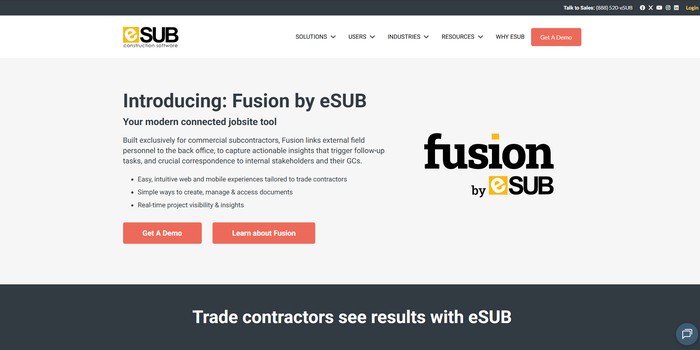
eSUB is a construction management software made specifically for commercial subcontractors. It helps trade contractors manage communication and information between the field and the office, making workflows smoother and reducing mistakes. The platform focuses on subcontractor needs rather than general contractor functions.
The software allows subcontractors to track documents, manage tasks, and view project information in real time. It also provides financial tracking and reporting tools. While it does not include advanced modeling features, it helps subcontractors stay organized, improve productivity, and manage change orders more effectively.
Key Features
- Fusion platform: Links field teams and office staff to share updates and information instantly.
- Document management: Organizes project documents so subcontractors can access plans, drawings, and reports without confusion.
- Mobile and web access: Lets users check and update information on phones, tablets, or computers from anywhere.
- Real-time project dashboards: Shows the current status of projects, helping teams make informed decisions quickly.
- Automated task creation: Generates tasks automatically based on field input to ensure follow-ups are not missed.
- Change order management: Tracks changes to projects and helps subcontractors manage associated costs and revenue.
- System integrations: Connects with general contractor software to share information between teams.
- RFI tracking: Keeps track of Requests for Information to avoid delays caused by missing answers.
- Daily reporting: Simplifies logging field activities, work progress, and issues each day.
- Financial tracking and analytics: Monitors costs, labor, and revenues for better project financial management.
Important Information
- Website: https://www.esub.com/
- Headquarters: United States (likely California)
- Founded: Early 2010s
- Pricing: Not publicly listed; demo required
- Best Use Case: Commercial subcontractors who need better field-to-office communication
Personal Review:
eSUB is strong in organizing workflows for subcontractors, helping them reduce mistakes and improve productivity. Its main limitation is that it focuses on subcontractors only, so general contractors or owners looking for full project management may find it less suitable. Overall, it efficiently addresses the needs of trade contractors managing multiple projects.
Smartsheet
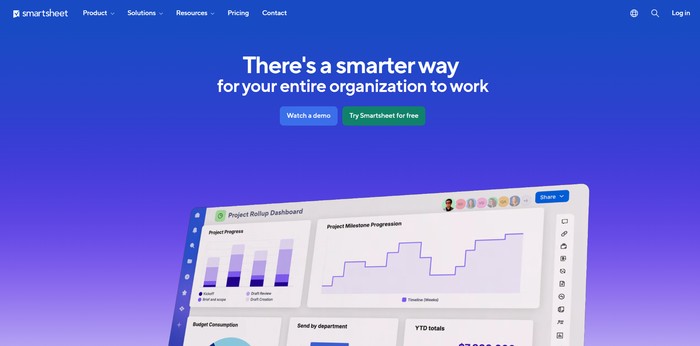
Smartsheet is a project management tool that combines a spreadsheet-style interface with tools to plan, track, and manage projects. It is used by construction teams to organize tasks, schedules, and resources in one place, helping teams work together across offices and construction sites.
The platform also includes features like automated workflows, reporting dashboards, and document management. These tools allow project managers to monitor progress, assign tasks, and make decisions based on up-to-date project information. Smartsheet can handle multiple projects at the same time and is suitable for teams of various sizes.
Key Features
- Gantt charts and timelines: Show project schedules and task dependencies visually to keep work organized.
- Real-time dashboards: Track progress, budget, and resource use across projects.
- Automated workflows: Streamline approvals, updates, and repetitive processes to save time.
- Document management: Store and share files like blueprints and permits, with version control to avoid confusion.
- Resource management: Monitor labor, equipment, and materials across multiple sites.
- Integration with BIM and other tools: Connect with construction software for design and planning coordination.
- AI risk assessment: Identify possible delays or budget problems before they happen.
- Mobile access: Update and view project information from job sites.
- Custom templates: Use prebuilt templates for bids, change orders, and punch lists to save setup time.
- Permission controls: Securely manage who can access project data and documents.
Important Information
- Website: https://www.smartsheet.com/
- Headquarters: Bellevue, Washington, United States
- Founded: 2005
- Pricing: Team plan starts around $25/user/month; higher plans offer more features
- Best Use Case: Medium to large construction companies managing multiple projects and stakeholders
Personal Review:
Smartsheet is strong in collaboration and project tracking, making it easy for teams to share updates and manage tasks in one place. A limitation is that it lacks some construction-specific tools, like detailed equipment tracking or full BIM features, which may require additional software for larger or highly technical projects.
Viewpoint
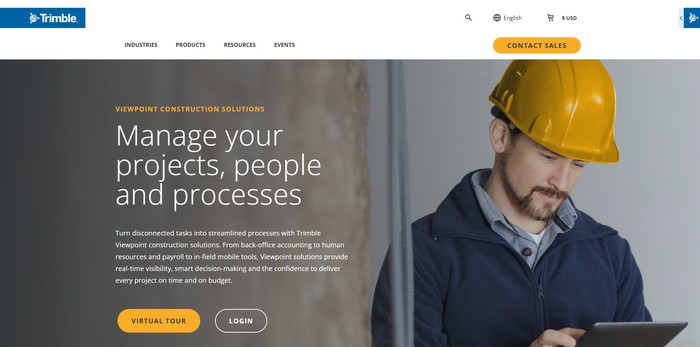
Viewpoint, part of Trimble Construction One, is a construction management software designed to connect office and field teams. It helps construction companies track projects, manage finances, and organize resources in one system. The platform provides tools to monitor performance, control budgets, and maintain communication between on-site workers and office staff.
Viewpoint is mainly used by mid-sized to large construction companies with multiple projects. Its strength is combining financial management with project tracking, giving managers a clear overview of operations. The software also includes reporting, analytics, and mobile tools to support teams and improve efficiency across different project sites.
Key Features
- ERP and Financial Management: Handles accounting, payroll, and project budgets in one system to reduce errors and simplify financial control.
- Project Tracking Dashboard: Shows real-time updates on costs, schedules, and progress, helping managers stay informed and make decisions quickly.
- HR Management Tools: Supports hiring, onboarding, and workforce management to streamline employee administration.
- Mobile Field Tools: Lets field teams report updates, collect data, and communicate with the office from anywhere.
- Document Management: Organizes files and drawings with searchable indexing to make information easy to find.
- Spectra Analytics: Provides detailed project insights and visual reports to understand trends and identify potential problems.
- Integration Capabilities: Connects with other Trimble tools and third-party software for smoother workflow across systems.
- AI Predictive Analytics: Uses data to forecast risks, detect issues early, and plan resources effectively.
- Custom Reporting Tools: Generates tailored reports for different stakeholders, showing the information they need.
- Bid Management and Estimating: Helps create cost estimates and manage bids for new projects.
Important Information
- Website: https://viewpoint.com/
- Headquarters: Sunnyvale, California, USA
- Founded: As part of Trimble, which started in 1978
- Pricing: Enterprise-level, typically $50,000–$200,000+ per year
- Best Use Case: Mid-sized to large construction companies needing connected project management, finances, and field-to-office communication
Personal Review:
Viewpoint’s main strength is its ability to combine project tracking with financial management, giving managers a clear overview of operations. One limitation is that it can be complex to implement, requiring significant time and resources, which may make it challenging for smaller companies or those with limited IT support.
RedTeam
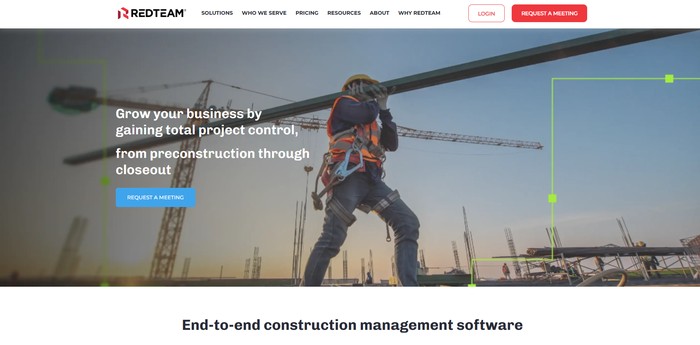
RedTeam is a construction management software made mainly for general contractors. It helps manage projects from the planning stage through completion, combining financial management with daily project operations. The software provides a central place for project information, reducing errors and making it easier for office and field teams to stay connected.
The platform includes tools for estimating, scheduling, and handling subcontractors. It also gives real-time updates on project costs and progress. By keeping all project data in one system, RedTeam aims to simplify communication and decision-making for contractors handling multiple projects at the same time.
Key Features
- Project lifecycle management: Handles every stage of a construction project, from planning to closeout, keeping all data in one system.
- Real-time financial visibility: Shows current project costs and budgets to help managers make informed decisions.
- Bid management and estimating: Helps prepare accurate project proposals and manage bids from potential clients.
- Field management: Allows on-site teams to report daily progress and access project details through mobile devices.
- Document management: Stores and tracks important files, submittals, and change orders to keep projects organized.
- Scheduling and task management: Visualizes timelines and assigns tasks to resources to improve project planning.
- Subcontractor portal: Lets subcontractors view assignments, submit documents, and communicate easily.
- Accounting integrations: Connects with systems like Sage 100 Contractor to streamline financial workflows.
- Financial reporting and analytics: Provides reports and data analysis to support better project decisions.
Important Information
- Website: https://www.redteam.com/
- Headquarters: Not specified
- Founded: Not specified
- Pricing: Not specified, likely subscription-based
- Best Use Case: General contractors needing integrated project and financial management
Personal Review:
RedTeam’s main strength is combining project management with real-time financial tracking, which helps contractors make decisions quickly. A potential limitation is that it may be complex for smaller teams or businesses with simpler needs. Overall, it works best for companies that handle multiple projects and need a single system to manage both operations and finances efficiently.
Contractor Foreman
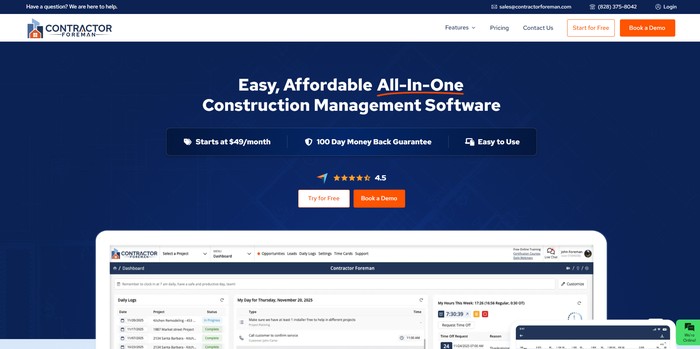
Contractor Foreman is a construction management software designed for contractors working on residential, commercial, and public projects. It provides a single platform to handle scheduling, budgeting, documentation, and team communication. The software is cloud-based, allowing teams to access project information from anywhere, including on-site locations.
The platform is priced affordably, starting at $49 per month for the whole company. It offers tools to track project costs, manage labor and subcontractors, and keep project documents organized. While it includes basic predictive and resource management features, some advanced automation options may be limited compared to higher-end software.
Key Features
- Project scheduling with Gantt charts: Visualize tasks over time to keep projects on track.
- Budget tracking and cost management: Monitor expenses and compare them to planned budgets.
- Document control with versioning: Store project files securely and track changes or approvals.
- Mobile access: Update tasks, reports, and schedules directly from the field.
- Resource allocation and labor management: Assign workers and equipment efficiently.
- Bid management and estimating tools: Create and manage project bids and cost estimates.
- Daily logs and field reporting: Record daily progress, issues, and site updates.
- Team communication tools: Send messages and share updates within the platform.
- Customizable reports and dashboards: Generate summaries of project performance and metrics.
- Subcontractor management: Track subcontractor performance and assignments.
Important Information
- Website: https://www.contractorforeman.com/
- Headquarters: Not publicly disclosed
- Founded: Not publicly disclosed
- Pricing: Starting at $49/month for the entire company
- Best Use Case: Small to medium construction companies managing multiple projects
Personal Review:
Contractor Foreman is strong in providing a wide range of construction management tools at a low cost, making it suitable for small and medium companies. A limitation is that it may lack some advanced automation and predictive analytics found in higher-end platforms. Overall, it helps manage projects, documents, and team communication efficiently.
Buildxact
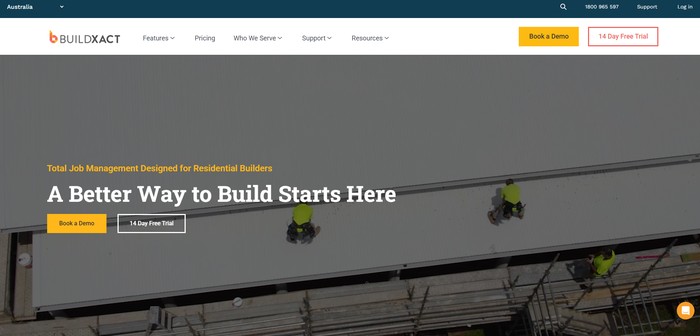
Buildxact is construction management software that helps plan and manage building projects from start to finish. It is designed to make project scheduling, budgeting, and team communication easier for construction companies. The platform organizes project data so managers can track progress, costs, and resources in one place.
The software uses AI tools to predict possible delays and budget issues before they happen. It also makes documents and project information easy to search and retrieve. Buildxact works on desktop and mobile devices, so teams on-site can access updates in real time and keep projects on track.
Key Features
- Project planning and scheduling: Use Gantt charts and timelines to organize tasks and see how delays affect the project.
- Budget tracking and cost estimation: Track spending and forecast costs to avoid going over budget.
- Document management: Store and organize files with version control and easy search.
- Team collaboration: Share updates and communicate with team members and stakeholders in one workspace.
- Mobile access: Update and check project details on-site using smartphones or tablets.
- BIM integration: View 3D models of projects to understand design and construction progress.
- Automated reporting: Generate performance and progress reports with customizable dashboards.
- Resource allocation: Plan labor and equipment use to avoid shortages or idle time.
- Risk assessment: Identify potential delays or problems before they happen.
Important Information
- Website: https://www.buildxact.com/
- Headquarters: Likely in San Francisco, Austin, or Sydney
- Founded: Around 2010–2015
- Pricing: Subscription model, varies by company size and project volume
- Best Use Case: Small to medium construction companies, residential builders, and commercial contractors
Personal Review:
Buildxact is strong in keeping project information organized and accessible, which helps teams stay on schedule and budget. A limitation is that some features may be complicated for users who are not familiar with construction software. Overall, it works best for companies managing multiple projects that need clear planning and cost tracking.