Top Tools
Top AI Avatar Generators
AI avatar generators now focus on creating faces that look calm, clear, and human rather than flashy or cartoon-like. Small details such as blinking, slight head movement, and natural skin tone make avatars feel more believable. Many tools allow users to create these avatars using one photo or a short written description.
People use AI avatars for practical reasons, not trends. They help in online meetings, training videos, customer support, and language learning. Because these avatars represent real people, developers are adding rules to protect identity, reduce misuse, and keep personal data secure.
TL;DR
Synthesia
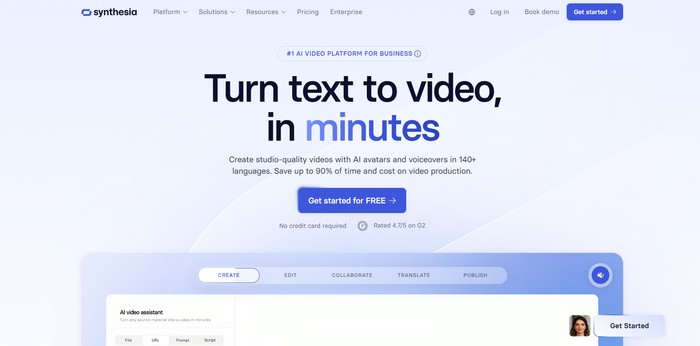
Synthesia is an AI-based platform that helps people create videos using digital presenters instead of real actors. Users write text, and the system turns it into a video where an AI avatar speaks the script in a clear and controlled way.
The tool is mainly used by companies that need training, internal updates, or marketing videos. It reduces the need for cameras, studios, or presenters, which makes video creation faster and more consistent, especially for teams working across different countries.
Key Features
- Text-to-video with AI avatars – Users enter written text, and the platform converts it into a video with a virtual presenter speaking the content.
- Library of AI avatars – Users can choose from many digital presenters with different appearances to match their audience or use case.
- Multi-language support – Videos can be created in over 120 languages, helping teams communicate with international audiences.
- Accurate lip-syncing – The avatar’s mouth movements are matched closely to the spoken audio to improve clarity and realism.
- Text-to-speech voices – Users can adjust voice tone and speed to fit training, marketing, or informational videos.
- Video templates – Pre-built layouts help users create structured videos without starting from scratch.
- Brand customization – Companies can add logos, colors, and fonts to keep videos consistent with their brand.
- API access – Larger organizations can connect Synthesia with other systems to automate video creation.
- Team collaboration tools – Multiple users can work on the same video project, which supports shared workflows.
- Performance analytics – Built-in data shows how viewers interact with videos, helping teams measure engagement.
Important Information
- Website: https://www.synthesia.io
- Headquarters: London, United Kingdom
- Founded: 2017
- Pricing: Subscription-based, starting at around $30 per month
- Best use case: Business training, internal communication, and marketing videos at scale
Personal Review:
Synthesia’s main strength is its clear and reliable AI avatars, which work well for structured business content in many languages. A limitation is that avatar expressions can feel slightly artificial in some situations. Overall, it suits organizations that value consistency and efficiency more than emotional or creative presentation.
D-ID
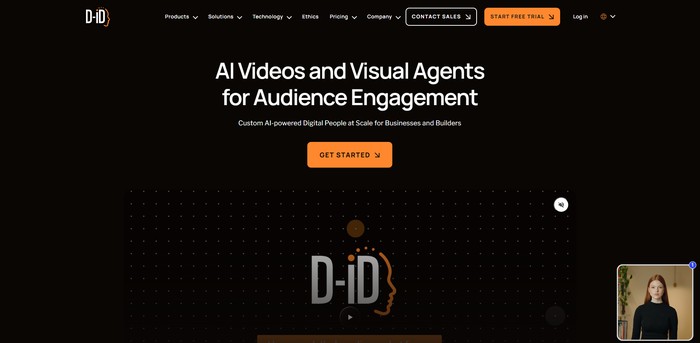
D-ID is an AI platform that turns still photos into talking videos. Users upload a face image, add text or audio, and the system creates a video where the person appears to speak naturally. The focus is on facial movement and clear lip synchronization.
The platform supports many languages and is used to create simple presenter-style videos. It is designed for marketing, training, customer communication, and internal business messages where realistic talking avatars are helpful and speed matters.
Key Features
- Creative Reality™ Studio
- A web-based tool where users type text or upload audio to quickly create talking avatar videos without technical skills.
- Facial animation and lip-sync
- The system analyzes speech and matches mouth movement and facial expressions to the audio, reducing the need for manual video editing.
- Multilingual support
- Text-to-speech works in over 100 languages, helping teams create content for different regions without hiring voice actors.
- Text-to-speech voices
- Users can choose from many voice options to match tone, language, or audience needs.
- API access
- Developers can integrate avatar video generation into apps, websites, or internal systems automatically.
- Custom voice upload
- Allows businesses to use their own recorded voices instead of default synthetic voices.
- High-speed video rendering
- Videos are generated faster than real-time, which helps when producing large amounts of content.
- Scalable infrastructure
- The system can handle many requests at once, supporting enterprise-level video production.
- iPhone mobile app
- Enables basic avatar video creation directly from a mobile device.
Important Information
- Website: https://www.d-id.com
- Company type: AI digital human and avatar platform
- Founded: 2017
- Headquarters: Israel
- Pricing model: Subscription-based, with multiple plan levels
- Primary use cases: Marketing, e-learning, customer support, internal communication
Personal Review:
D-ID is strong at turning static images into realistic talking faces with clear lip-sync and wide language support. This makes it useful for simple presenter-style videos at scale. A limitation is that it mainly focuses on head-and-shoulder avatars, with limited options for full-body movement or complex visual scenes.
HeyGen
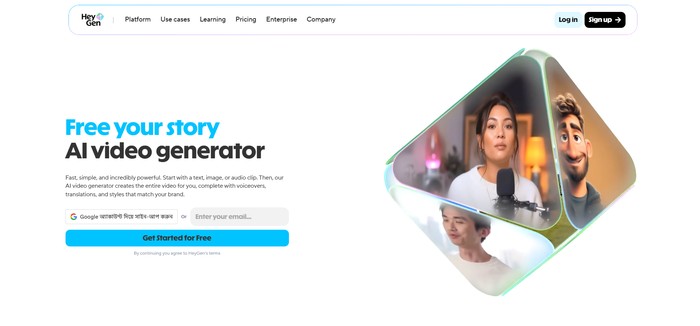
HeyGen is an AI-based video creation platform that helps users turn text and static content into videos with digital human presenters. It is designed for people who need videos but do not want to film themselves or hire actors. The platform works entirely online and does not require technical skills.
The main focus of HeyGen is creating videos where AI avatars speak naturally and match the script provided by the user. It supports many languages and voices, making it useful for global teams. Users commonly apply it to marketing, training, education, and internal communication content.
Key Features
- AI Avatar Generation – Creates digital human presenters that speak scripted text with synchronized lip movement and facial motion.
- Text-to-Video Tool – Converts written scripts into videos automatically, removing the need for cameras or microphones.
- Multi-Language Support – Allows users to produce videos in over 40 languages, helping reach international audiences.
- Voice Selection – Offers hundreds of voice options so users can choose tone, accent, and speaking style.
- Face Swap Function – Replaces a face in a video while keeping body movement and expressions consistent.
- Talking Photo Feature – Animates still photos so they appear to speak, useful for simple presentations.
- Video Templates – Provides ready-made layouts that speed up video creation for common business needs.
- Brand Kit Tools – Keeps logos, colors, and fonts consistent across all videos.
- API Access – Lets developers connect HeyGen’s avatar features to other software or platforms.
Important Information
- Website: https://www.heygen.com
- Product Type: AI avatar and video creation platform
- Free Plan: Includes 1 minute of video credit
- Basic Plan: $24 per month with 10 minutes of video
- Pro Plan: $180 per month with 90 minutes of video
- Enterprise Plan: Custom pricing
- Video Quality: Up to 1080p resolution
- Common Uses: Marketing videos, training content, presentations, customer messages
Personal Review:
HeyGen’s main strength is the clear and natural-looking avatar speech, which reduces the need for live presenters. A limitation is the pricing, as longer or frequent video creation requires higher plans. It fits teams that need consistent video output but may be costly for solo creators.
Colossyan
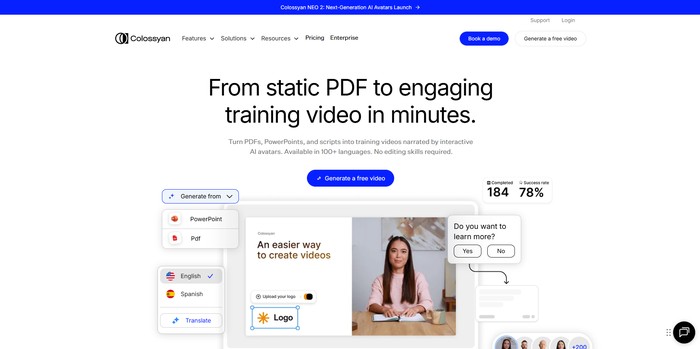
Colossyan is an AI-based platform that helps users create digital avatars for videos and presentations. It is mainly used for professional content such as training videos, internal communication, and marketing materials. Users can generate videos without filming real people or setting up recording equipment.
The platform focuses on combining avatars with text and speech to produce clear, consistent video content. It supports multiple languages and is designed for teams that need repeatable, scalable video creation rather than one-time creative projects.
Key Features
- AI avatar creation – Users select or customize digital presenters instead of using human actors, saving time and production costs.
- Text-to-speech video generation – Written scripts are converted into spoken video, removing the need for voice recording.
- Avatar customization – Clothing, appearance, and style can be adjusted to match company or project needs.
- Multi-language support – Videos can be created in different languages to reach international audiences.
- Video-based training tools – Helps companies produce consistent learning and onboarding content.
- Template-based workflow – Reusable layouts make it easier to create multiple videos with the same format.
- Cloud-based platform – No local installation is required, allowing teams to work from different locations.
- Brand-focused avatars – Organizations can keep a consistent visual identity across many videos.
- Integration options – Content can be shared or embedded into other platforms and systems.
Important Information
- Website: https://www.colossyan.com
- Product type: AI avatar and video generation platform
- Target users: Businesses, educators, and content teams
- Pricing model: Subscription-based with multiple plans
- Primary use cases: Training, marketing, internal communication, and educational videos
Personal Review:
Colossyan’s main strength is its ability to create consistent, professional videos without filming real presenters. This is useful for teams producing large volumes of content. One limitation is that new users may need time to learn the workflow, especially if they have no prior experience with video or script-based tools.
Elai
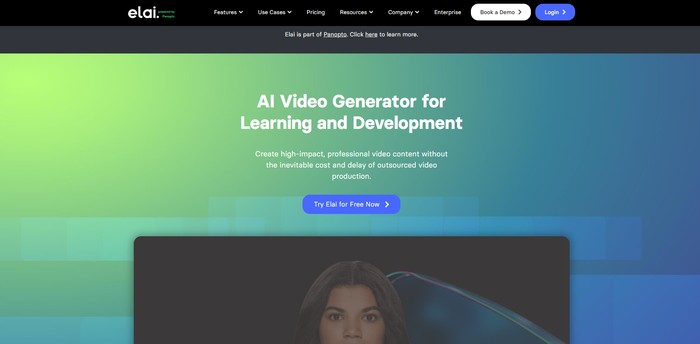
Elai is an AI-based video creation tool that turns written text into videos with digital presenters. Users can type a script, choose an avatar, and generate a video without recording themselves. The system combines text understanding, speech generation, and animated visuals to produce spoken video content.
The platform is mainly designed for business, training, and educational use. It focuses on clear delivery, consistent presentation, and easy production rather than entertainment. Elai helps teams create videos faster when they need repeatable formats such as lessons, guides, or product explanations.
Key Features
- Text-to-video generation
- Converts written scripts into videos automatically, removing the need for cameras or studios.
- AI avatar presenters
- Uses digital human avatars to deliver content, helping users appear on screen without filming.
- Multiple avatar choices
- Offers presenters with different looks and styles to fit various professional contexts.
- Text-to-speech voices
- Turns text into spoken audio, solving the need for voice recording equipment.
- Multi-language support
- Allows video creation in different languages for international audiences.
- Custom avatar option
- Enables brands to create avatars based on real people for consistent identity.
- Video templates
- Provides ready-made layouts that speed up creation for common use cases.
- Visual editing tools
- Lets users adjust backgrounds, text, and media without video editing skills.
- Bulk video creation
- Helps teams generate many similar videos at once, saving time.
- Performance analytics
- Tracks how videos perform, helping users understand engagement.
Important Information
- Website: https://www.elai.io
- Product type: AI avatar video generation platform
- Main focus: Business, training, and educational videos
- Video input: Written text
- Output: Avatar-based videos
- Pricing model: Subscription-based plans
- Trial availability: Likely offered
- Target users: Companies, educators, content teams
Personal Review:
Elai’s main strength is its ability to create professional-looking videos quickly from text, which is useful for training and internal communication. A limitation is that avatar expressions can feel limited compared to real people, especially in emotional or highly dynamic presentations.
DeepBrain AI
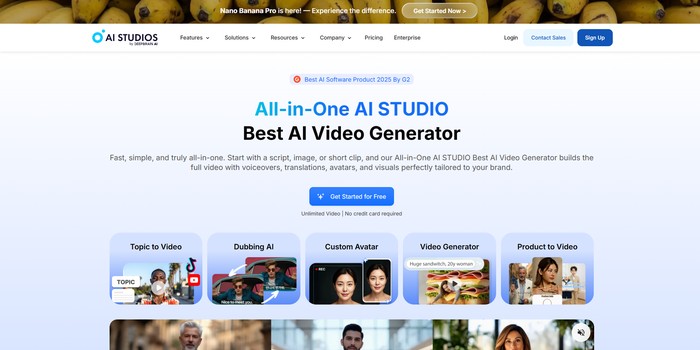
DeepBrain AI is a platform that helps users create videos using AI-generated human avatars. It turns written scripts into videos where a virtual person speaks the text in a natural way. The system is designed to be simple so users do not need video production skills.
The platform focuses on realistic digital humans and supports many languages. It is often used for business communication, learning materials, and informational videos. Users can choose from ready-made avatars and templates to quickly create consistent video content.
Key Features
- Realistic AI avatars
- Uses pre-built digital humans that show natural facial movement, helping videos feel clear and understandable without filming real people.
- Text-to-speech in many languages
- Converts written scripts into spoken audio in over 80 languages, which helps teams create content for international audiences.
- Script-to-video workflow
- Allows users to paste text and generate a full video automatically, reducing time spent on recording and editing.
- Built-in video editor
- Provides simple tools for adjusting scenes, text, and layouts, making basic edits possible without external software.
- No technical skills required
- Designed for non-experts, so users can create videos without learning complex production tools.
- Video templates for different uses
- Offers ready-made layouts for training, marketing, and internal communication to speed up content creation.
- Free plan availability
- Lets new users test the platform and create videos without entering payment details.
Important Information
- Website: https://www.deepbrainai.io
- Headquarters: Palo Alto, California, USA
- Main focus: AI avatar-based video creation
- Pricing: Free tier available; paid plans offered
- Best use cases: Training videos, marketing content, corporate messages, educational materials
Personal Review:
DeepBrain AI works well for producing clear avatar-based videos quickly, especially for multilingual content. The main strength is its realistic avatars combined with an easy setup process. A limitation is that avatar customization and editing controls are fairly limited, which may restrict users who need more detailed visual adjustments.
Fotor
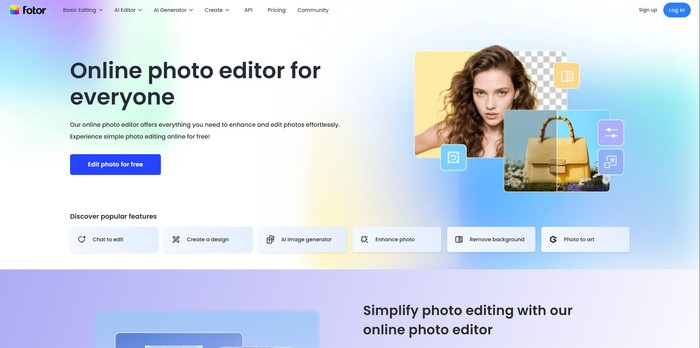
Fotor is an online photo editing and design platform that includes an AI-based avatar generator. Users can upload a photo and turn it into an avatar using different visual styles. The tool is designed for people who want simple controls and clear results without technical knowledge.
The avatar feature works inside Fotor’s larger editing system. This allows users to adjust their avatars after generation using common photo tools. Because everything is web-based, users can create and edit avatars directly in a browser without installing software.
Key Features
- AI avatar generation from photos
- Upload a photo and the system analyzes facial features to create an avatar automatically.
- Multiple visual styles
- Users can choose styles such as cartoon, anime, or realistic to match different personal or work needs.
- Facial feature enhancement
- The AI adjusts lighting, proportions, and details to improve clarity while keeping the face recognizable.
- Custom avatar adjustments
- Users can change hairstyles, accessories, and filters to better match their appearance or brand.
- Professional headshot creation
- Designed formats help create clean profile images suitable for platforms like LinkedIn.
- Social media size presets
- Built-in dimensions ensure avatars fit correctly on different social media platforms.
- Background removal and replacement
- The tool can remove messy backgrounds and replace them with simple or professional ones.
- Batch avatar generation
- Users can create several avatar versions from one photo to compare styles quickly.
- Photo editing integration
- Avatars can be refined using Fotor’s standard editing tools such as brightness and contrast.
Important Information
- Website: https://www.fotor.com
- Headquarters: Hong Kong
- Additional offices: United States
- Founded: 2012
- Pricing model: Freemium
- Free plan: Limited features with watermarks
- Paid plan: Fotor Pro
- Monthly price: About $8.99
- Yearly price: About $39.99
- Best for: Professional profiles, social media, and personal branding
Personal Review:
Fotor’s main strength is that avatar creation and photo editing are combined in one place, which saves time and effort. A clear limitation is that the free version restricts image quality and adds watermarks, which reduces its usefulness for professional purposes.
Avatar SDK
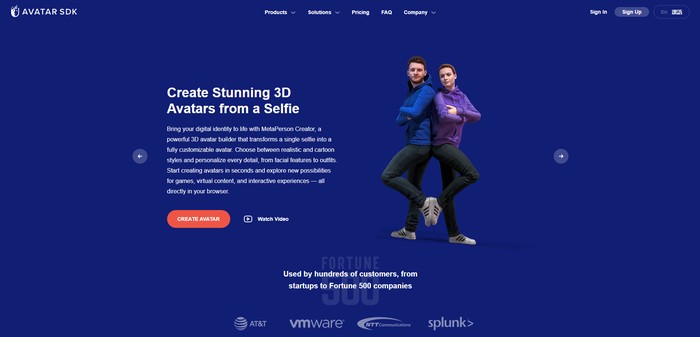
Avatar SDK is a software toolkit that helps developers add avatar creation features to their apps. It focuses on turning user photos into digital characters using AI and 3D modeling. The product is built mainly for technical teams rather than everyday users.
The SDK is used in games, social platforms, and virtual or augmented reality projects. It gives developers control over how avatars look and behave, while allowing integration across different devices and systems through APIs.
Key Features
- Photo-based face mapping – Uses AI to analyze a photo and map facial features accurately, reducing manual avatar setup.
- 3D avatar generation – Creates full 3D models that can be used in games, VR, or animated scenes.
- Avatar customization tools – Lets developers adjust facial details, hair, and accessories to match different user needs.
- Multiple visual styles – Supports realistic, stylized, cartoon, and anime looks to fit different products.
- Cross-platform support – Works across web, mobile, desktop, and XR environments, avoiding platform lock-in.
- API-based integration – Provides APIs so teams can connect avatar features directly into existing applications.
- Real-time animation – Maps expressions and movements to avatars for more natural interaction.
- NFT-ready avatars – Allows avatars to be used as blockchain-based digital assets when required.
- Privacy control options – Offers on-device processing or secure cloud handling to protect user data.
Important Information
- Website: https://avatarsdk.com
- Product type: Developer-focused avatar SDK
- Target users: Game studios, social platforms, VR/AR developers
- Pricing: Usage-based or tiered plans (details not publicly fixed)
- Deployment: Cloud-based or on-device processing
- Avatar output: 3D models and animated characters
Personal Review:
Avatar SDK’s main strength is its flexibility, giving developers detailed control over avatar creation and integration. A clear limitation is that it requires technical skills, which may slow down small teams or non-developers. It fits best in projects where customization and system-level control are more important than ease of use.
GAN.AI
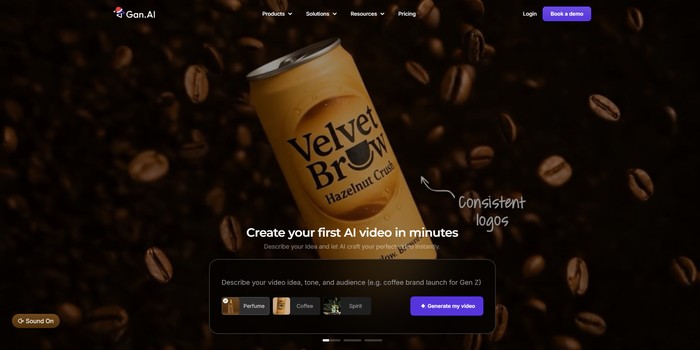
GAN.AI is a platform that focuses on creating digital human avatars using modern machine learning methods. It is designed for businesses and creators who need realistic visual representations for online use, such as websites, videos, or applications, without relying on real human actors.
The platform aims to support consistent digital identities across different channels. By offering customizable avatars and technical integration options, it helps teams produce visual content at scale while keeping control over appearance, behavior, and language output.
Key Features
- Photorealistic avatar creation – Uses generative models to produce human-like faces and visuals that reduce the need for photoshoots or actors.
- Facial and appearance customization – Allows users to adjust facial structure, hair, clothing, and expressions to match specific brand or character needs.
- Natural motion and expressions – Generates realistic movements and gestures to make avatars look less static in videos or live interactions.
- Real-time animation support – Enables avatars to respond dynamically, which is useful for interactive content or customer-facing tools.
- API access for developers – Lets teams integrate avatar features into their own software, apps, or workflows.
- Multi-language interaction – Supports different languages so avatars can communicate with global audiences.
- High-resolution output – Produces visuals suitable for professional marketing, presentations, and digital media.
- Privacy-focused data handling – Designed to manage user data securely and limit misuse of digital identities.
- Feedback-based improvement – Uses user input to refine avatar quality over time.
- Cross-platform compatibility – Works across websites, mobile apps, and social platforms without major format changes.
Important Information
- Website: https://www.gan.ai
- Company type: AI avatar and digital human platform
- Primary focus: Digital avatars for marketing, content, and customer interaction
- Likely founded: Around 2019–2021
- Pricing model: Subscription-based, with multiple tiers
- Intended users: Businesses, agencies, developers, and content creators
Personal Review:
GAN.AI’s main strength is the level of control it offers over avatar appearance and behavior, which is useful for professional use cases. One limitation is that creating highly realistic avatars may require more setup time and technical knowledge compared to simpler tools. Overall, it suits teams that value quality over speed.
Vidboard AI

Vidboard AI is a tool that turns text and existing digital materials into videos with AI-generated avatars. Users can create videos without cameras, studios, or advanced editing skills. The platform focuses on helping teams produce videos faster by using automated scripts, voices, and visuals.
The software is designed for routine video production such as marketing messages, training lessons, and educational content. By combining text-to-video technology with digital presenters, it allows users to present information in video form while keeping branding and structure consistent across multiple projects.
Key Features
- AI Avatar Generation: Creates digital presenters that speak the script, reducing the need for human actors or filming.
- Document-to-Video Conversion: Turns PDFs, Word files, or slides into narrated videos, saving time on manual video creation.
- AI Script Generator: Produces draft scripts from text inputs, helping users who struggle with writing or structure.
- AI Voice Cloning: Generates voiceovers that match a chosen tone or brand voice without recording audio.
- Faceless Video Creation: Allows videos without visible presenters, useful for product demos or abstract topics.
- URL-to-Video: Converts web pages into videos, making it easier to reuse existing online content.
- Timeline with Triggers: Lets users control when visuals, text, and audio appear for clearer presentation flow.
- AI Caption Generator: Automatically adds captions, improving accessibility and search visibility.
- Multimedia Assets Integration: Provides access to stock music, images, and clips to avoid sourcing assets elsewhere.
- Text-to-Video Technology: Transforms written content into video format for audiences who prefer visual learning.
Important Information
- Website: https://www.vidboard.ai
- Product type: AI-powered video and avatar creation platform
- Target users: Marketing teams, educators, and content creators
- Pricing model: Subscription-based plans
- Free trial: Availability indicated on the website
- Hardware needs: No filming equipment required
Personal Review:
Vidboard AI’s main strength is its ability to turn written content into structured videos with minimal effort. This makes it practical for teams producing content regularly. A limitation is that avatar movements can sometimes look less natural, which may require small edits before publishing.
Monica AI
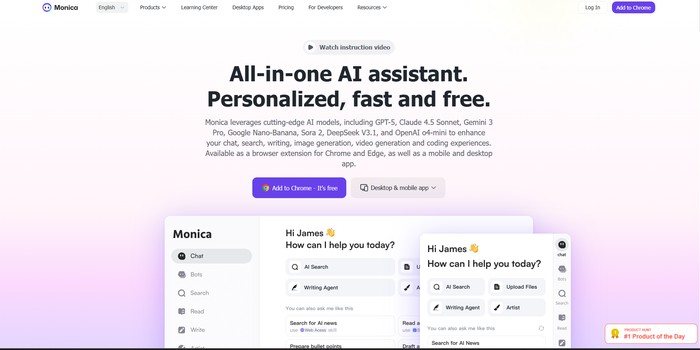
Monica AI is an online tool for creating digital avatars using artificial intelligence. It allows users to make avatars from text descriptions or photos without needing design skills. The platform is built for people who want consistent digital characters for work, content, or online profiles.
The system focuses on clear controls and flexible outputs rather than complex setup. Users can adjust faces, styles, and expressions and export avatars for different uses. It is designed to support repeated creation and editing, which is useful for teams or individuals working across multiple platforms.
Key Features
- Text-to-avatar creation – Users describe a person in text, and the system generates an avatar based on those details.
- Photo-to-avatar conversion – A real photo can be uploaded and turned into a digital avatar while keeping key facial traits.
- Live customization tools – Facial features, hair, clothes, and expressions can be changed with instant visual feedback.
- Multiple export formats – Avatars can be downloaded in formats suited for social media, games, or presentations.
- Style selection – Users can choose between realistic, cartoon, anime, or artistic visual styles.
- Expression controls – Different emotions and facial expressions can be applied to make avatars look more natural.
- Basic animation support – Some avatars can include simple movements or lip-sync for video use.
- Batch generation – Multiple versions of an avatar can be created at once to compare or test options.
Important Information
- Website: https://monica.im
- Product type: AI avatar generation platform
- Input methods: Text descriptions and photos
- Output uses: Profiles, marketing, games, virtual meetings
- Pricing model: Free tier with paid subscription options
- Typical users: Creators, marketers, developers, small teams
- Editing support: Avatars can be saved and modified later
Personal Review:
Monica AI is useful for quickly creating and adjusting digital avatars without technical knowledge, especially when consistency across platforms is needed. A clear strength is its flexible customization system. One limitation is that highly detailed realism or uncommon physical traits may not always be represented accurately.
DupDub
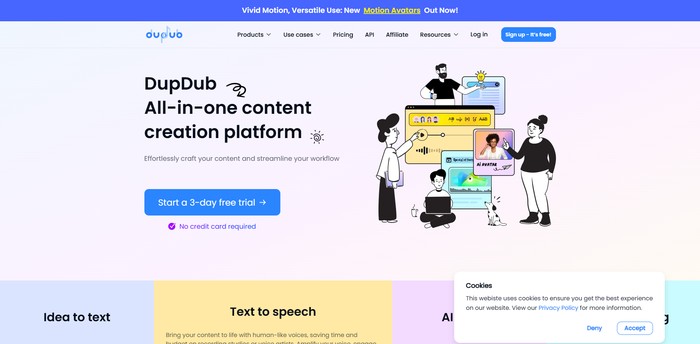
DupDub is an AI tool that helps users create digital avatars using text, images, or voice. It focuses on making avatars look and move in a natural way, with realistic facial expressions and speech. The platform is designed for people who need avatars for videos, websites, or online content.
The system uses machine learning and language processing to guide users through avatar creation without technical skills. Avatars can be adjusted for different platforms and reused later. DupDub is mainly used by creators and businesses that want consistent digital characters.
Key Features
- Text-to-avatar creation – Users can generate avatars by describing them in text, reducing the need for manual design.
- Facial animation and emotions – The system maps expressions to speech, helping avatars look more natural while talking.
- Appearance customization – Users can adjust features like age, skin tone, hairstyle, and clothing to match their needs.
- Voice synthesis support – Avatars can speak using AI-generated voices, useful for videos and presentations.
- Multi-platform support – Avatars are designed to work on web, mobile, and VR platforms.
- API access – Developers can connect DupDub to their own apps or services.
- High-resolution export – Finished avatars can be downloaded as images, animations, or video files.
- Batch avatar creation – Users can create multiple versions at once, saving time on large projects.
- Privacy options – Some processing can be done locally to reduce data sharing.
- Learning system – The platform improves results over time based on usage patterns.
Important Information
- Website: https://www.dupdub.com
- Headquarters: San Francisco, California
- Founded: 2020
- Pricing model: Freemium
- Paid plans start at: $19 per month
- Commercial use: Available on paid plans
- Primary users: Content creators, marketers, and businesses
Personal Review:
DupDub is strong in producing avatars with natural facial movement and speech, which makes them suitable for professional content. The main limitation is that creating detailed avatars can require strong hardware, especially on older devices. Overall, it works well for users who need repeatable and realistic digital characters.
JoggAI
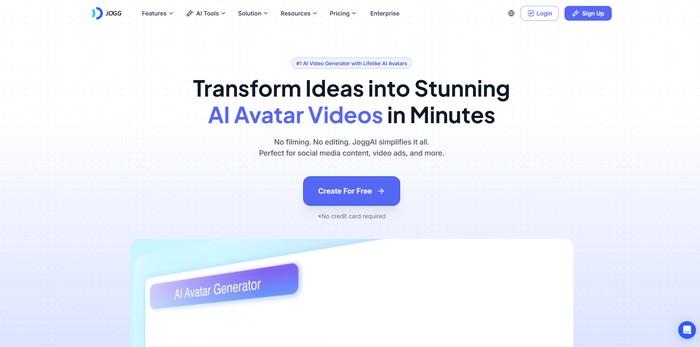
JoggAI is an AI-based platform that helps users create digital avatars that look and move like real people. Users can generate avatars from photos and adjust their appearance without needing design or technical skills. The system is built for people who need clear and consistent digital characters.
The platform is commonly used for videos, presentations, online learning, and customer-facing content. It focuses on making avatars that are easy to create, simple to customize, and ready to use across different digital channels.
Key Features
- Photo-based avatar creation
- Users upload images, and the system maps facial details to build a realistic digital avatar.
- Facial and appearance customization
- Allows adjustment of facial features, hair, clothing, and accessories to match personal or brand needs.
- Real-time animation
- Generates natural head movement and facial expressions for videos or live presentations.
- Text-to-speech voices
- Converts written text into spoken audio using multiple voices and supported languages.
- Emotion and expression control
- Detects emotional cues and applies matching facial expressions for more natural communication.
- Export and format support
- Avatars can be exported in formats suitable for social media, presentations, and web platforms.
- Developer API access
- Enables teams to integrate avatars into websites, apps, or customer service tools.
- Pre-built avatar templates
- Offers ready-made styles designed for marketing, education, and business use cases.
Important Information
- Website: https://www.jogg.ai
- Product type: AI avatar generation platform
- Likely founded: Between 2019 and 2021
- Pricing model: Subscription-based with multiple plan levels
- Intended users: Content creators, marketers, educators, and support teams
Personal Review:
JoggAI’s main strength is the visual quality of its avatars, which look consistent and professional across different uses. A possible limitation is that more complex avatars may take longer to generate. Overall, it works well for teams that need reliable digital presenters without manual design work.
Reface
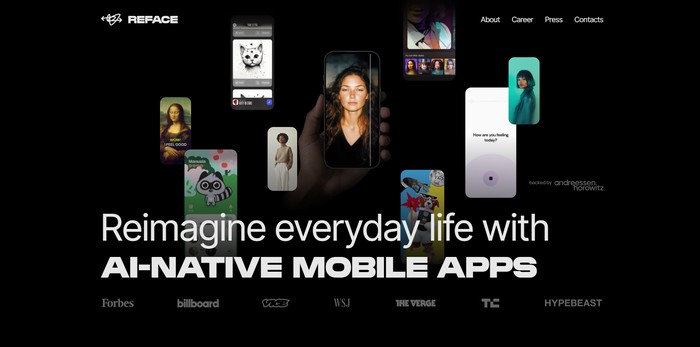
Reface is an AI-based platform that focuses on swapping faces in videos, GIFs, and images. It allows users to place their own face onto existing visual content while keeping expressions and movements aligned with the original media. The tool is mainly designed for entertainment and casual content creation.
The platform works through automated face analysis and mapping. Users upload a photo, select a template, and the system applies the face to the chosen content. Reface is commonly used for short videos and memes that are shared on social media platforms.
Key Features
- Real-time face swapping – Detects facial landmarks and replaces faces in videos while keeping movements consistent.
- Template library – Provides ready-made scenes and clips so users do not need to create content from scratch.
- Photo animation – Converts still images into short animations by adding facial motion.
- Social media sharing – Allows direct export to social platforms, reducing manual upload steps.
- Mobile apps (iOS and Android) – Enables users to create content directly from their phones.
- Avatar filters and styles – Applies visual effects to adjust appearance without manual editing.
- Simple interface – Designed so users can complete tasks without technical knowledge.
- Adaptive rendering system – Improves face alignment based on repeated usage patterns.
Important Information
- Website: https://www.reface.ai
- Product type: AI face-swapping and avatar tool
- Platform availability: iOS and Android
- Pricing model: Freemium with optional subscription
- Primary use: Entertainment and social media content
- Full-body avatar support: Limited
- Business-focused avatars: Not the main focus
Personal Review:
Reface performs well in face swapping and delivers consistent results with minimal effort from the user. Its main strength is the accuracy of facial alignment in short videos. A clear limitation is the lack of tools for creating original or full-body avatars, which reduces its usefulness for professional or business-focused content.